
Crafting Apps: Explore Seven ArtCraft Creative Tools
Crafting Apps includes image, video, PDF, and page-layout software, but apps in the same suite do different jobs. This article compares seven ArtCraft programs, examines the developer’s screenshots, and suggests testing copies of your files. Several apps are still in development, and a demo image does not establish what an installed release can do.
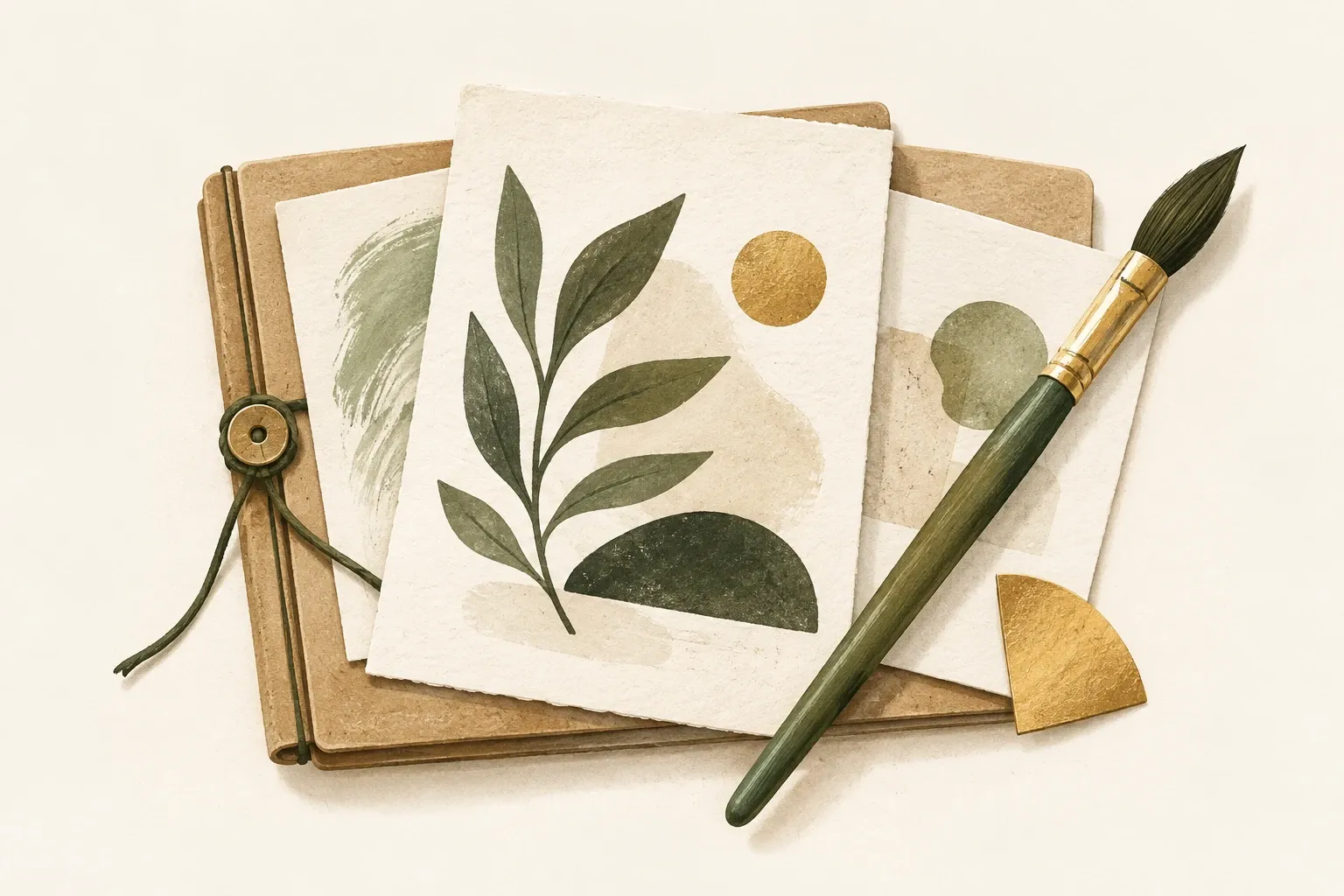
Crafting Apps has 13 programs; this guide explores the first seven
ArtCraft’s page listed 13 apps when checked October 29, 2026. This article covers seven: PhotoCraft, VectorCraft, FilmCraft, LightCraft, PdfCraft, EffectCraft, and DesignCraft. The other six—FigCraft, WordCraft, SoundCraft, DeckCraft, CADCraft, and GridCraft—are in the suite but are not covered individually here.
Crafting Apps is ArtCraft’s open-source suite for images, vectors, video, photography, PDFs, motion graphics, and page layout. The developer says the programs are written in Rust and designed to run on the user’s machine. Each handles a different task; they are not features of one all-purpose window.
Of the seven, ArtCraft labels PhotoCraft and PdfCraft early alpha and the other five in development. Download availability does not prove that opening old files or exporting results works for your workflow. Check the current Crafting Apps status
Try one small, checkable task such as opening an image, changing text, and exporting it before considering a project migration. This article uses developer information and images; KrobClick has not benchmarked the apps or tested file compatibility itself.
Choose the program based on the desired output
For photo adjustments, look at LightCraft; for layered compositions, PhotoCraft. FilmCraft handles clip editing, while EffectCraft creates motion effects. The table helps choose a trial, not certify production readiness.
| Program | Main work | The first job worth trying | Project page status |
|---|---|---|---|
| PhotoCraft | Edit images and assemble work with layers | Adjust the color of the image and add a piece of text. | Early alpha |
| VectorCraft | Draw and edit vector graphics | Draw icons using lines and shapes | In development |
| FilmCraft | Editing images and sound on timeline | Join short clips and export one file. | In development |
| LightCraft | Organize your photo library and adjust RAW photos. | Adjust the exposure of the photo copied from the actual camera. | In development |
| PdfCraft | Read and manage PDF documents | Reorder, split, and merge PDF copies | Early alpha |
| EffectCraft | Create motion graphics and effects | Animate text with keyframes | In development |
| DesignCraft | Lay out print publications and multipage documents | Create a two-page document with continuous text | In development |
These seven statuses were recorded October 29, 2026. Read the chosen app’s release notes before downloading: product pages, demos, and main may be newer than the installer.
PhotoCraft: Start with photo work that requires layers.
PhotoCraft is aimed at layered work such as text overlays, masks, color adjustment, and editable compositions. Its page describes PSD/PSB reading and saving, adjustment layers, and drawing tools. Try your own file before relying on any of those claims. PhotoCraft details
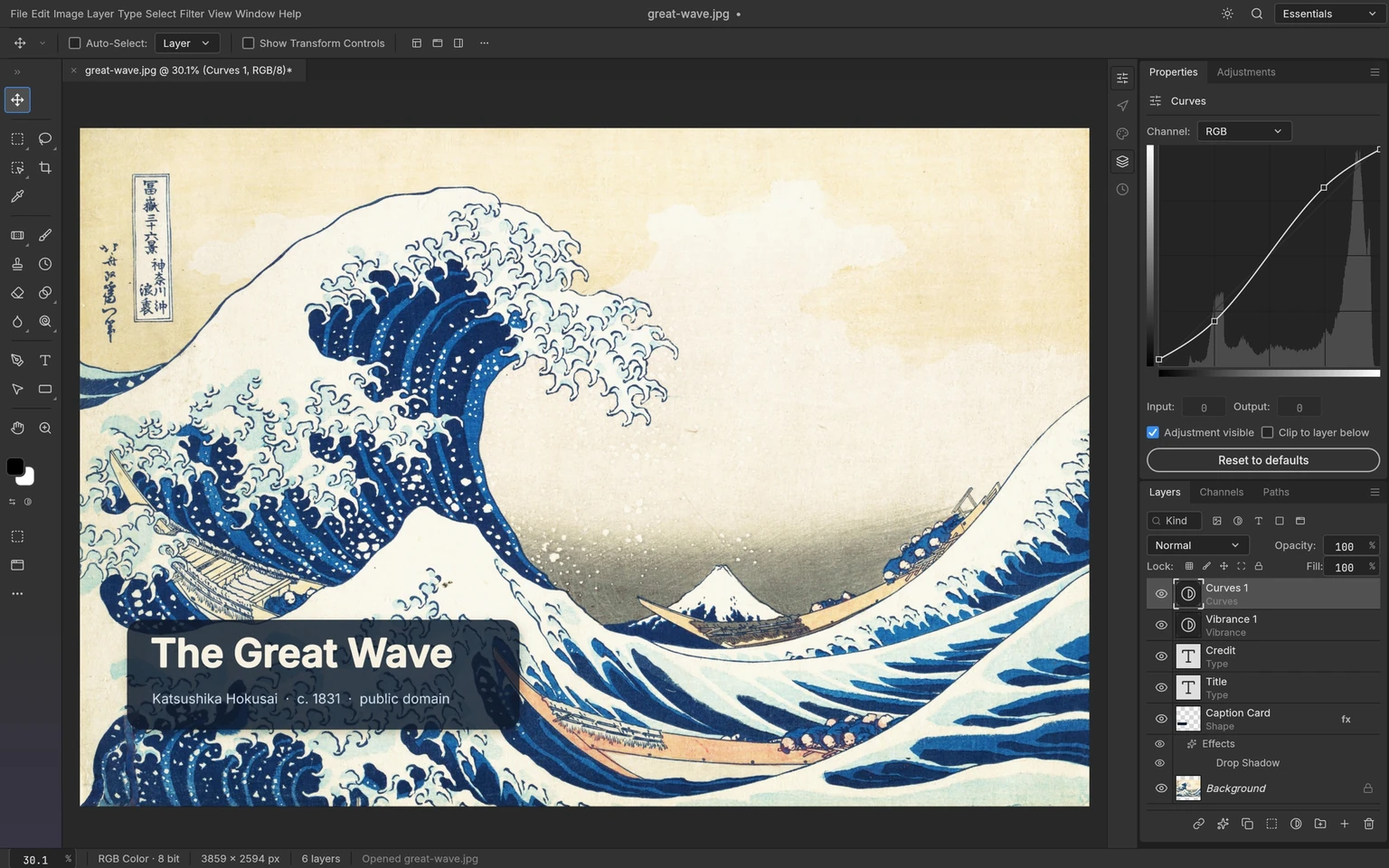
In the image, the layer list is on the right and Curves controls light and dark tones without changing each pixel manually. For a cover or social image, test independent text and color changes before exploring other effects.
Try a copy of a PSD containing Thai text, masks, and effects you actually use. Save it, reopen it in the original app, and check fonts, line breaks, and layer groups. Supporting an extension does not mean every feature round-trips unchanged.
VectorCraft: editable lines and shapes
If you need icons or diagrams built from paths and shapes, consider VectorCraft. Its page lists Pen, Direct Selection, shape booleans, appearance effects, and SVG/PDF import and export. VectorCraft details
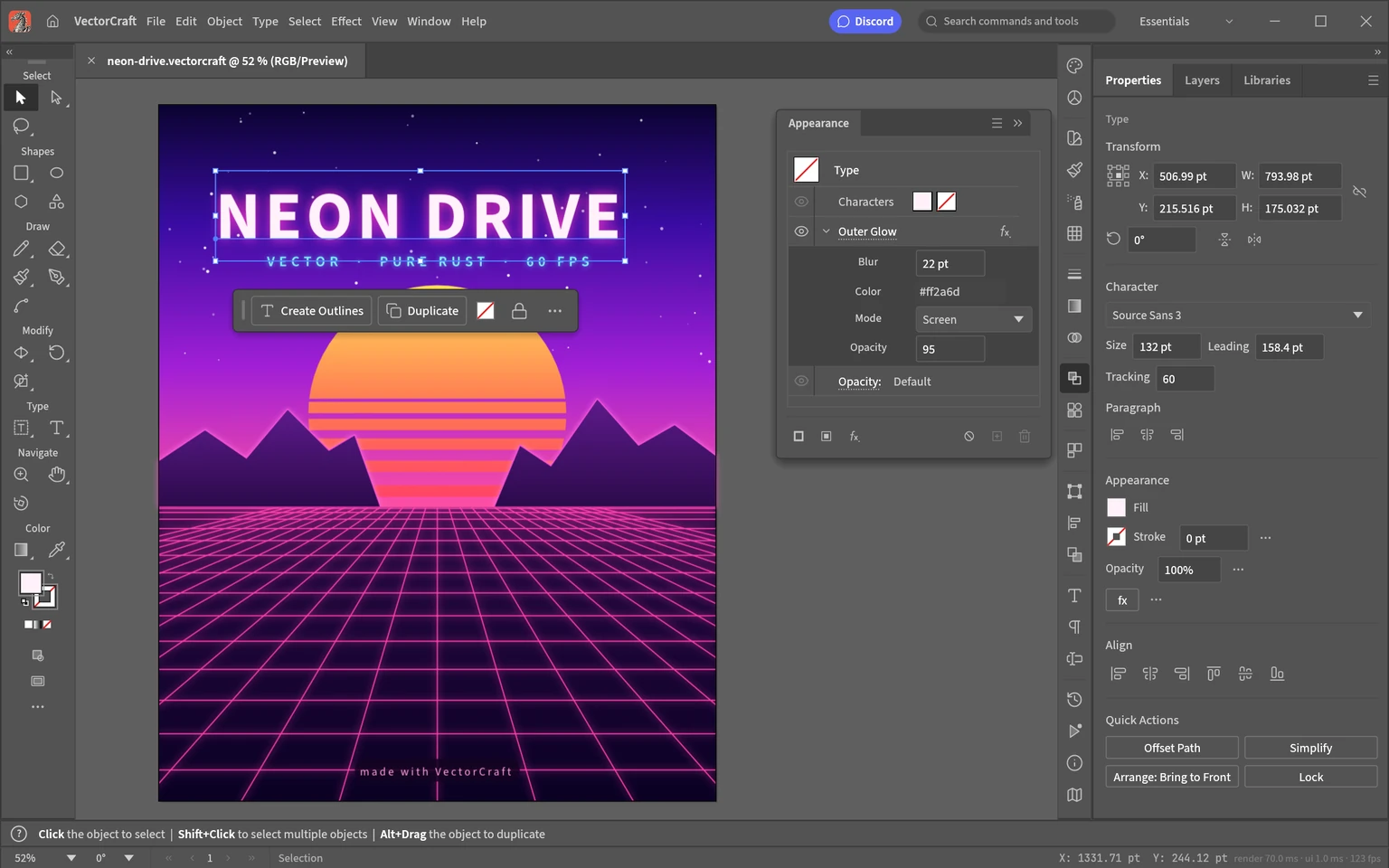
The sample poster shows appearance settings separate from the text, allowing the words or effects to be changed later. For web work, export a small SVG and open it in an actual browser; fonts and effects may render differently from the editor.
FilmCraft: Combine Shots and Sounds into Video
FilmCraft arranges video clips and audio on a timeline. The project page lists trim, source/program monitors, color controls, and audio handling. Try several clips that need trimming and exporting together. FilmCraft details
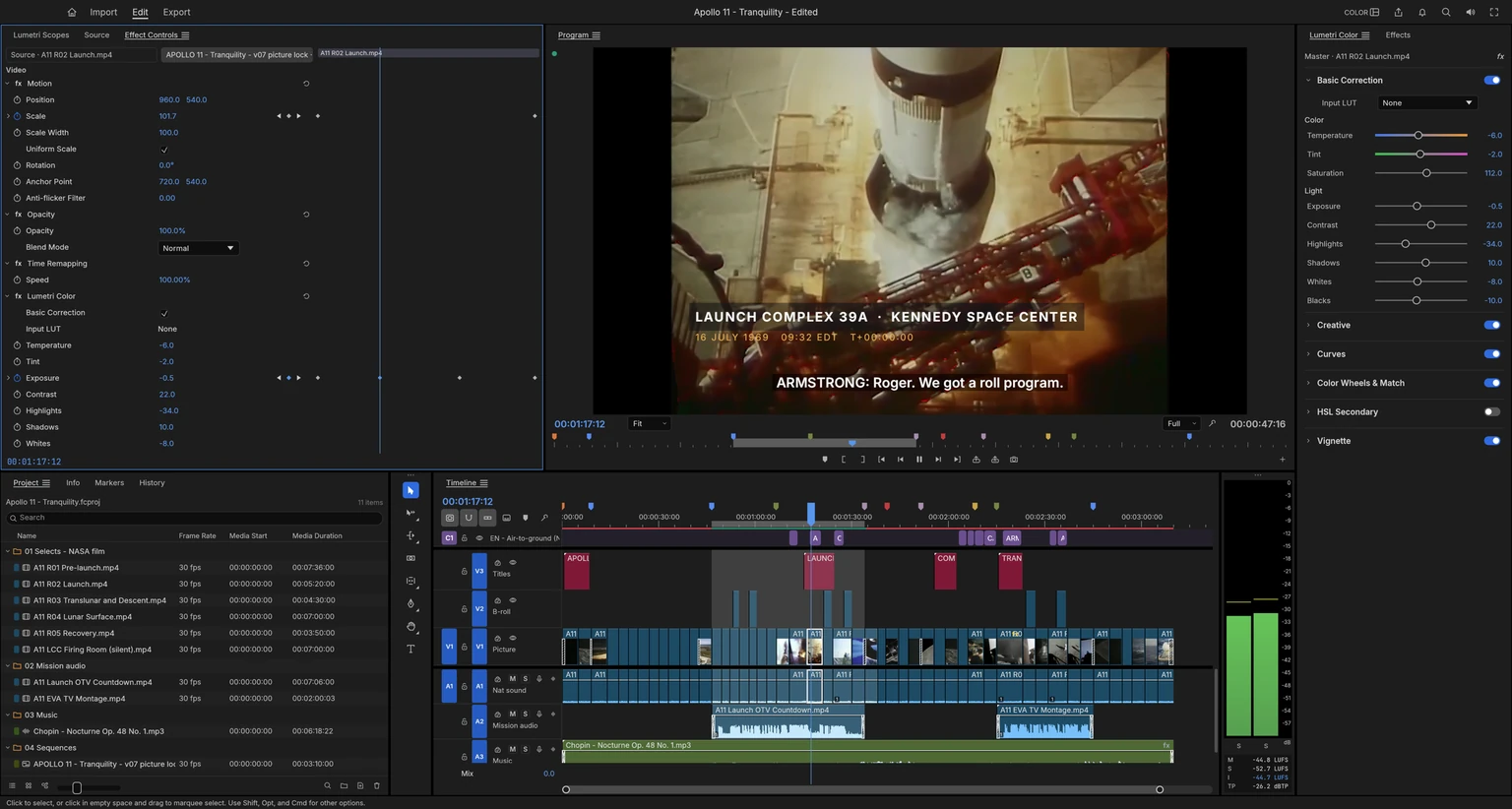
The timeline at the bottom has separate picture and sound tracks, while monitors show the edit. Try footage from a camera or phone you use: opening it, editing smoothly, and exporting correctly are separate checks.
For Thai content, check subtitles, audio sync, and cuts in the exported file, especially when mixing frame rates or codecs. A preview is not enough.
LightCraft: manage photographs from the library to tonal adjustments
LightCraft organizes photos and adjusts RAW images non-destructively, preserving originals while storing edits. Its page describes exposure, color, tone curves, masks, and albums. Unlike PhotoCraft, it focuses on a photo library rather than layered compositions. LightCraft details
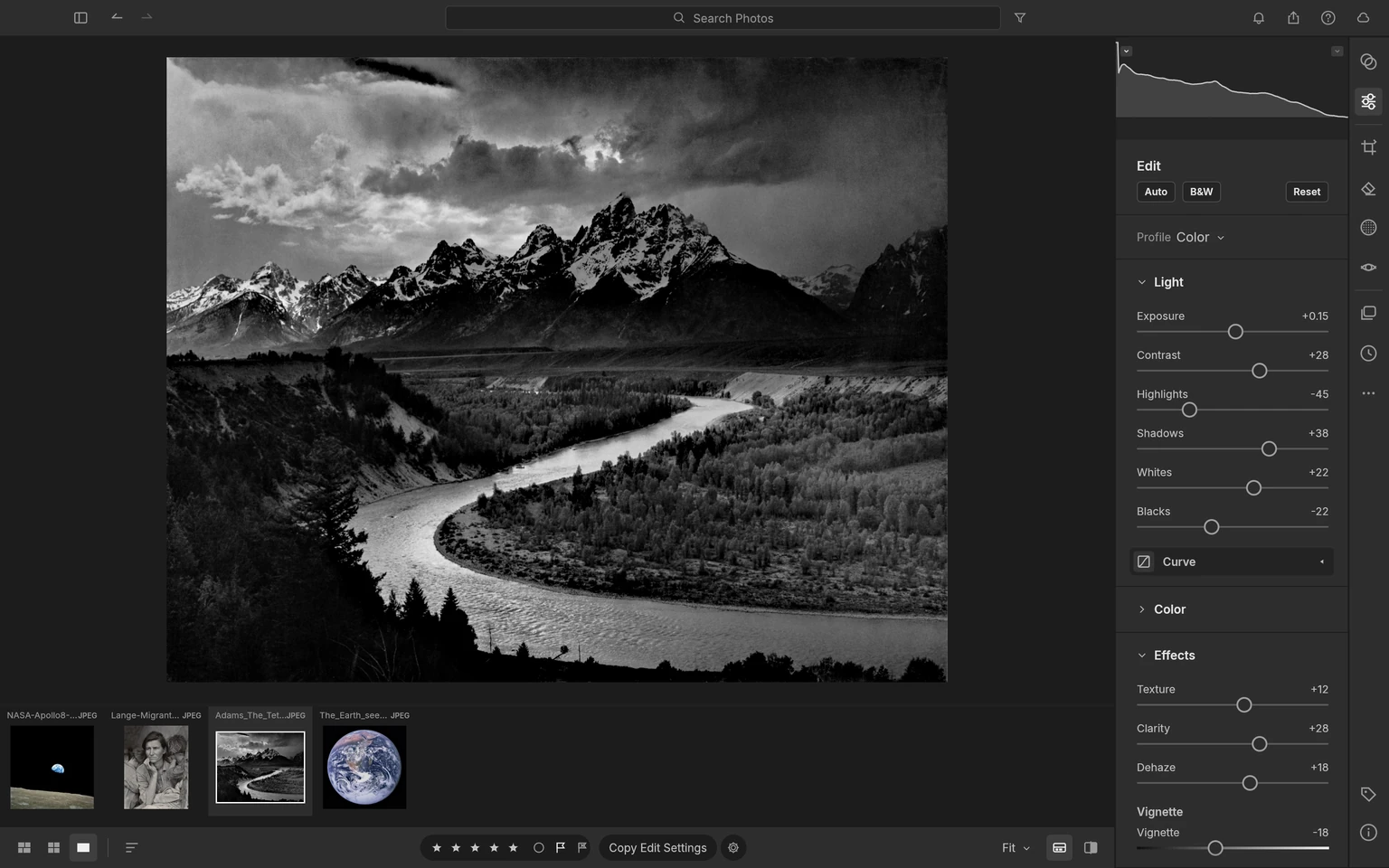
The filmstrip shows why library work involves moving through a series of images. Before importing your actual collection, test a RAW file from your camera, initial color, where adjustments are saved, and whether you can reopen the edit the next day.
PdfCraft: Manage PDF documents in batches.
PdfCraft is for existing PDF documents: reading, searching, rearranging pages, merging, and splitting files. That is different from laying out a book from a blank page. PdfCraft details
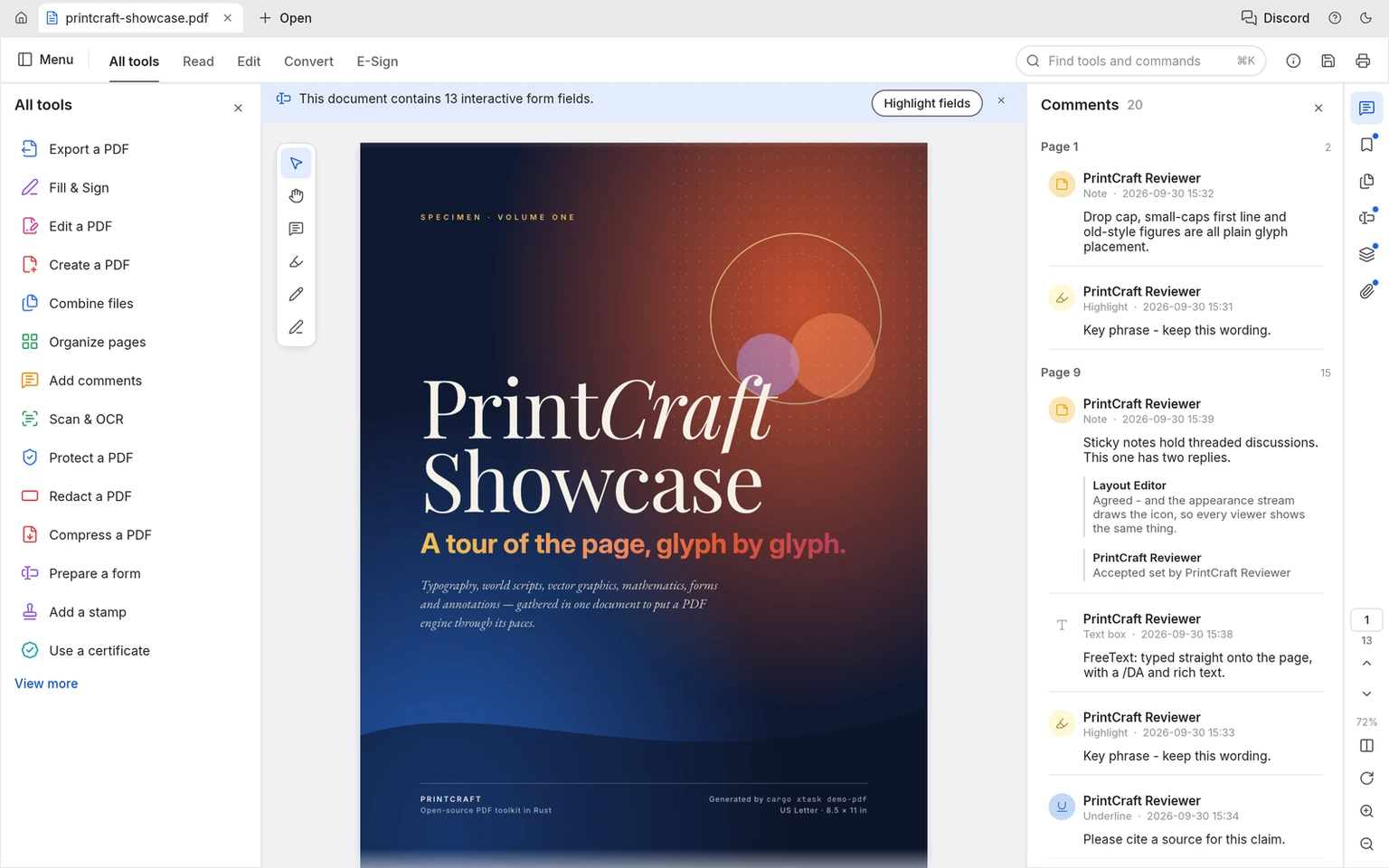
The screenshot shows where the tools sit but cannot prove Thai fonts, reading order, or forms will work in your files. Use a copy with the same structure as a real document, reorder pages, save it, and reopen every affected page.
For simple browser-based PDF merging, splitting, or page arrangement, try KrobClick PDF tools. Choose desktop software by the document workflow and capabilities you need regularly.
EffectCraft: animate elements within a composition
EffectCraft focuses on motion graphics and visual effects. It starts with a composition of text, shapes, or layers and changes their properties over time. FilmCraft instead arranges footage already captured or prepared. EffectCraft details
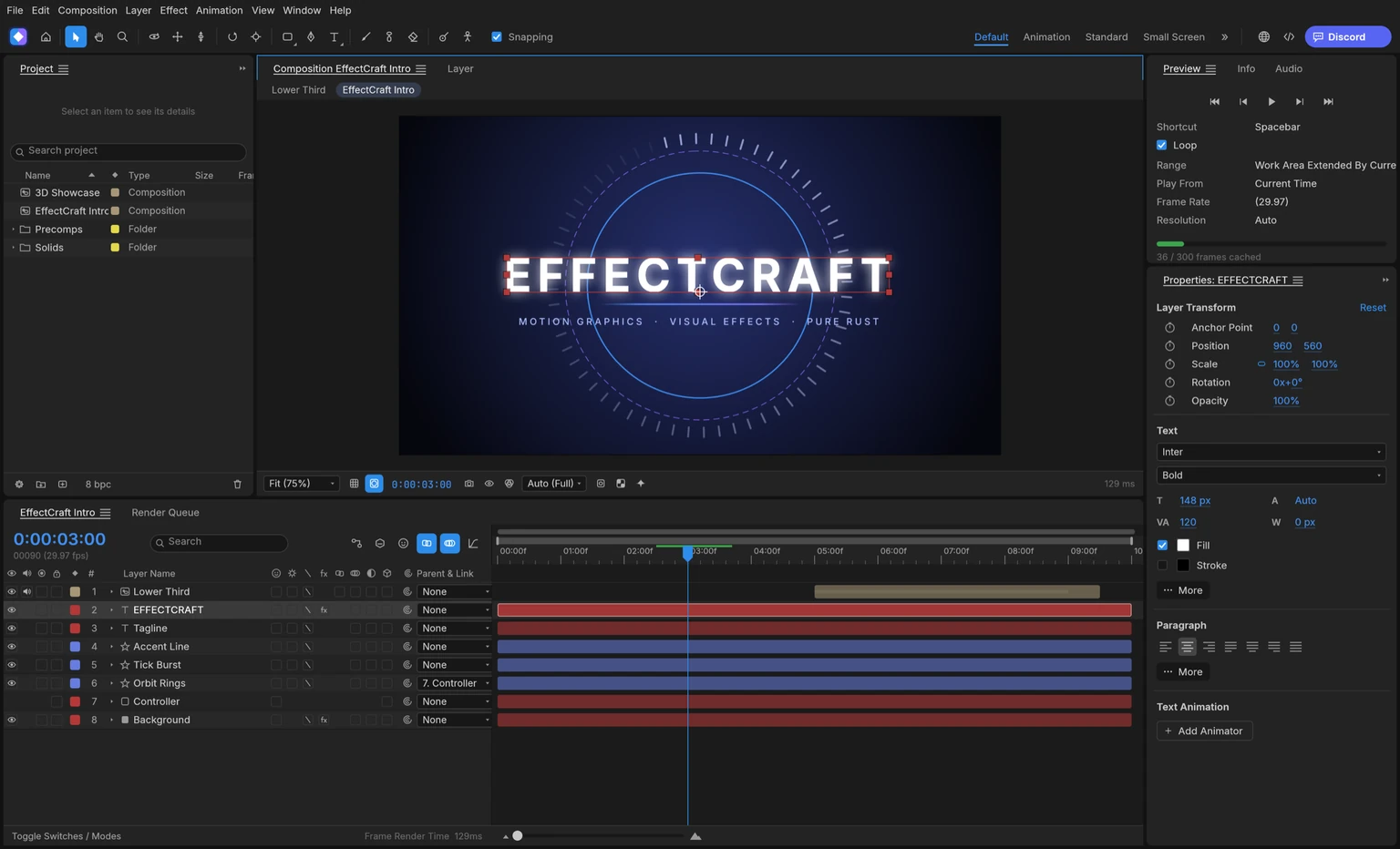
For a first test, animate a short piece of Thai text with keyframes and inspect the exported font and timing. This checks the path from layer creation to export without starting with a complicated scene.
DesignCraft: Set up connected text-flow frames
DesignCraft suits multipage publishing work that needs consistent text frames and columns. The project’s magazine spread shows linked frames, a different problem from making a one-page poster. DesignCraft details
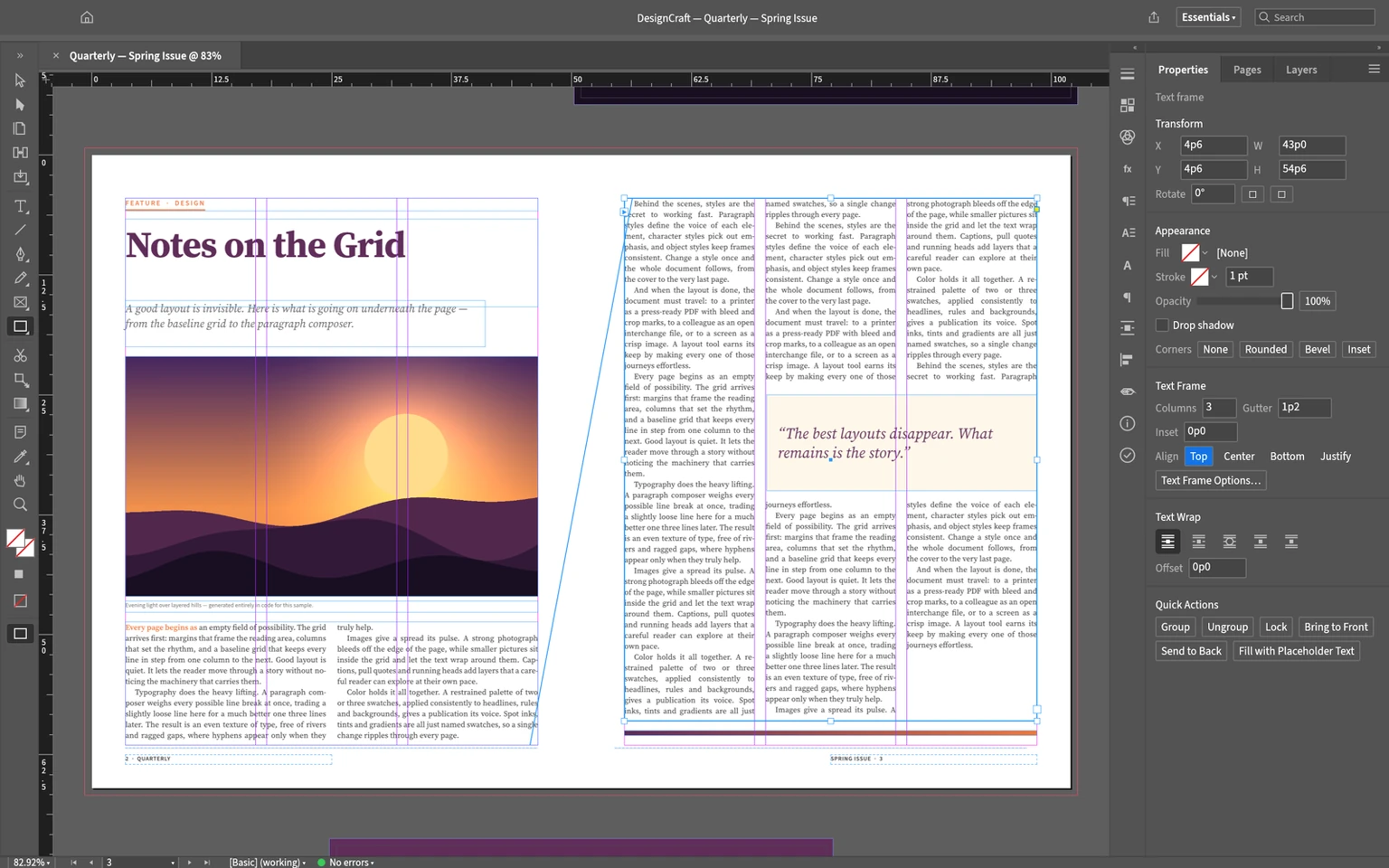
A line between frames in the image indicates that the same story can flow into the next frame. For Thai layouts, test long copy, word breaks, vowels, tone marks, and embedded fonts in an exported PDF. An English demo does not establish Thai typesetting quality.
Local processing and AI integration require separate checks
ArtCraft describes native apps that work with local files and offer CLI, JSON control, or MCP interfaces for automation and agents. Some also have WebAssembly browser builds. Check the interface and development status of each app separately. Crafting Apps principles
MCP lets an agent call tools; it does not mean the AI model runs locally. Before automating a workflow, check what files the agent reads, where it sends data, and what it can overwrite. “The app runs locally” does not mean “no part of the workflow transmits data.”
As a hypothetical workflow, an agent could read copies from one folder, create three image sizes in a new folder, and ask a person to inspect them. This is a KrobClick suggestion, not confirmation that every app accepts the same commands. For more on agents, see The path from chat to an AI team supporting work
How to try Crafting Apps on one real task
ArtCraft recommends its Launcher for installing and updating the suite. Alternatively, use individual installers from the Official overview page Choose the build for your system and read that release’s notes; a site screenshot does not establish the installed version’s features.
- Choose an app for the job: PhotoCraft for layered editing or PdfCraft for rearranging document pages.
- Make a copy without sensitive data and keep the original separately.
- Open the copy, edit, save, close, reopen, and export it.
- Open the result in the recipient’s actual software. Check Thai fonts, color, transparency, sound, and page order.
- Record the version and problems before trying a more complex job.
These open-source programs focus on local files, but only a trial with your files and workflow can show whether they can replace your current tools. Start with a reversible small task before using a more important project.
Image credits and licenses are in List of Crafting Apps and REA image sources
Original sources and images
- ArtCraft: Crafting Apps lineup and development status
- ArtCraft: PhotoCraft
- ArtCraft: VectorCraft
- ArtCraft: FilmCraft
- ArtCraft: LightCraft
- ArtCraft: PdfCraft
- ArtCraft: EffectCraft
- ArtCraft: DesignCraft
Lineup and selected app statuses reviewed October 29, 2026. Developer screenshots remain pinned to credited commits with licenses retained. This is documentation review, not KrobClick compatibility or performance testing. Installed releases may differ from main.