
ExplodedView Skills: Still Images vs. 3D Assembly Viewers
Separated parts can look easy to understand, but if AI guesses a screw's position wrong, the image teaches the wrong mechanism. Start with evidence about the real object and decide between a still and a 3D viewer.
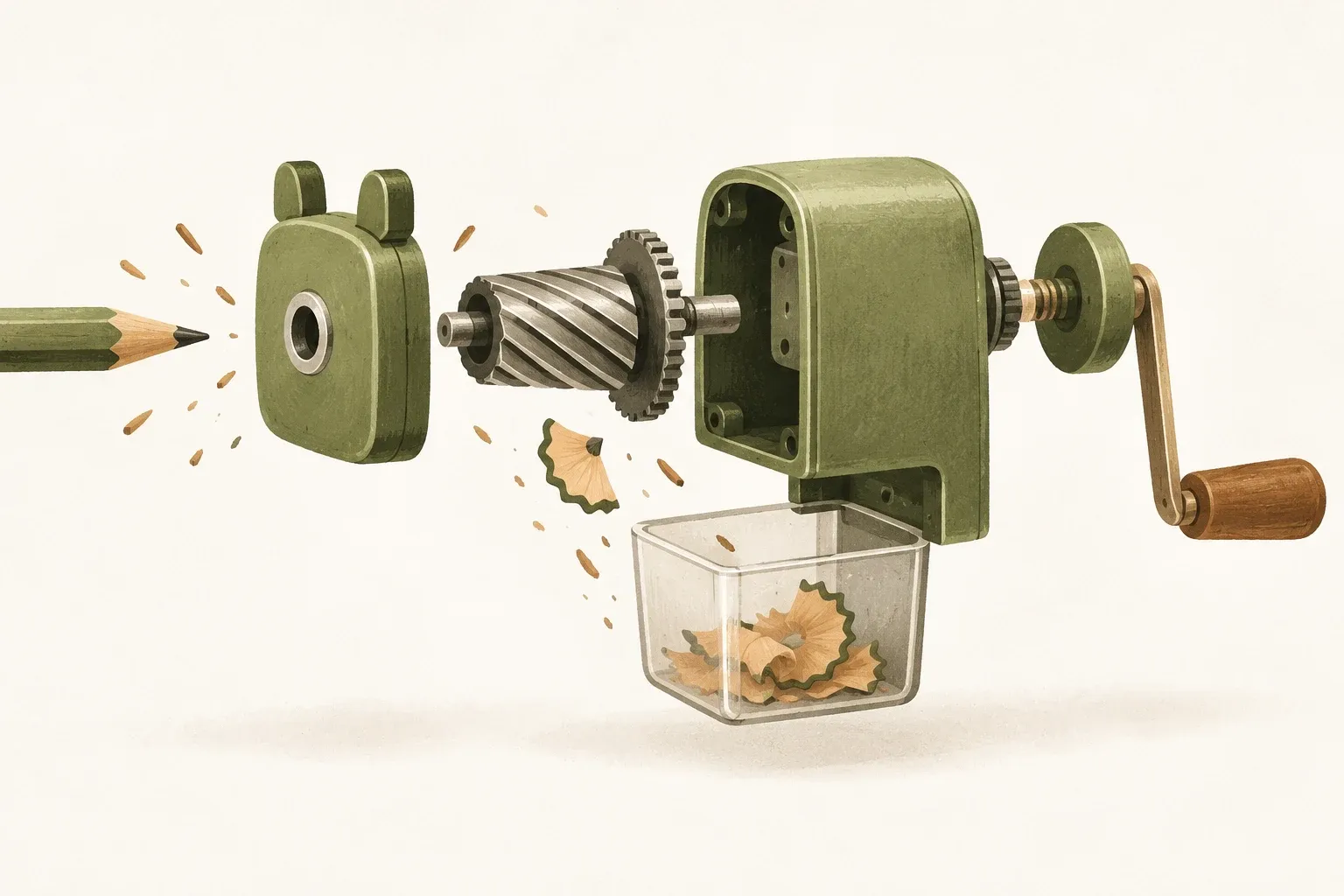
An exploded view shows how separated parts fit together
An exploded view moves parts away from their assembled positions to show which parts fit together. It must preserve orientation, scale, and order, not merely spread pieces apart. Even a realistic image can misrepresent the mechanism if its parts data is wrong.
Skills.sh lists explodedview by charikshith/skills, cited here at commit bad8ae51, and the /explodedview In Visual Commands from natan-webs command in natan-webs' Visual Commands. The first aims to build a 3D HTML viewer; the second directs an image tool. Similar names do not mean similar outputs.
Inspect manufacturer images before AI-generated images
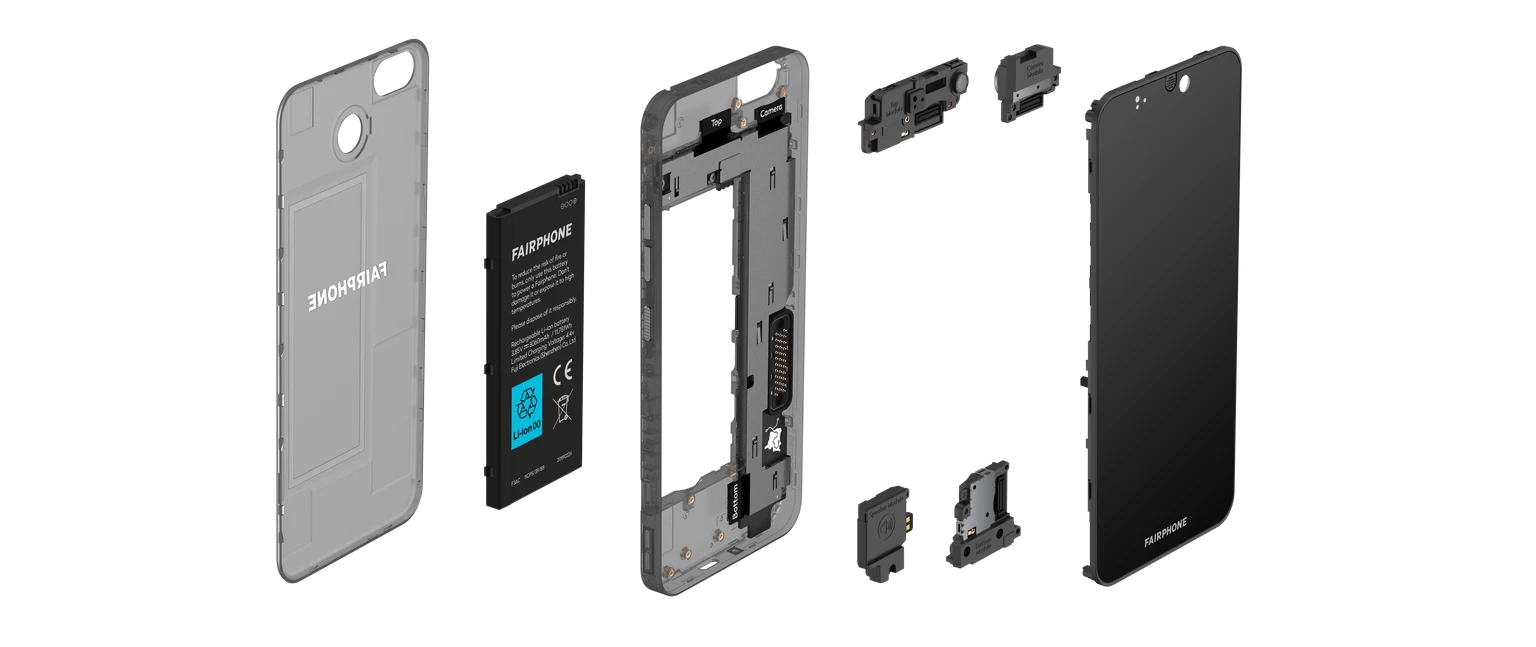
Look at the Fairphone's main structure and work backwards to where the separated pieces fit. The manufacturer's image helps establish positions and groups of parts, but one still cannot tell you the repair order, tools, or battery precautions. Consult the manual for the actual model.
Before asking AI to explain an object, decide whether the image teaches structure or gives assembly instructions someone should follow. The latter needs more evidence and expert review. A conceptual image is not CAD and has no engineering tolerances.
Prepare and verify still images and 3D viewers differently
| Source | Expected direction of results from the source | What you need |
|---|---|---|
| charikshith/skills: explodedview | HTML with viewer 3D, parts list and assemble/separate buttons | An agent that creates files from the template, and a WebGL-capable browser |
| natan-webs: Visual Commands | Visual direction instructions for the host's image-generation or editing tools | Install Visual Commands and have a working visual tool. |
The viewer skill tells the Agent to describe parts in JSON and depict them with basic shapes and preset materials. Its file specifies an explosion slider, rotation, part isolation, and assembly steps. KrobClick has not run the example, so it has not confirmed every control on every device.
You cannot rotate a still. Yet a viewer built with basic shapes remains an explanatory model, not a reconstruction of a real product from one image. Without references, AI cannot know the locations of hidden screws or mechanisms.
Prepare component lists, models, and units before requesting work
Before building a viewer, specify the model or type of object, real dimensions in one unit, the separation axis, and parts in assembly order, as the source recommends. Repeated small parts can be grouped. If dimensions are unknown, label proportions hypothetical rather than inventing measurements.
Hypothetical brief: Use explodedview to explain a generic retractable pen to beginners. Read attached component information first. Show the barrel, refill, spring, and click assembly as supported, separated along the long axis. Use Thai and identify simplified mechanisms and unknowns. Create educational HTML without claiming a manufacturing design or repair guide.
Attach manuals or manufacturer images you are permitted to use. If internal parts lack evidence, do not ask the model to 'make it realistic.' Realistic materials do not validate a mechanism; check appearance and part placement separately.
Choose a skill for the output you need and check its license before installing
For a viewer, open the explodedview listing on Skills.sh and check the source folder and prerequisites before adding only that skill. The reviewed snapshot contains a bundled Three.js license but no repository-level LICENSE. A library license does not automatically cover the template and all code. Ask the owner about rights before redistribution or commercial use.
For a still, Visual Commands has an MIT License. Read that source's installation instructions, select the visual-commands skill, then send the image command below. It will not create the other repository's 3D viewer.
/explodedview /technical /whitebg /16:9
แสดงชิ้นส่วนตามเอกสารที่แนบ รักษาสัดส่วน ระบุว่าเป็นภาพอธิบาย และไม่เติมชิ้นส่วนที่ไม่มีหลักฐาน
Visual Commands says to check part relationships and avoid inventing meanings for unknown commands. Compare the resulting image with a real parts list. A correct prompt does not guarantee the model's picture is correct.
Check the number, position, and interactions separately.
- Number and name: Are there any duplicates, missing pieces, or changed functions? Do the labels match the items?
- Assembly: Do axes and sequence match actual data? Do parts intersect or hide important joints?
- Scale: Do all parts use the same units, or is any simplification labeled? Does transparent material reveal the interior while misleading viewers about the real object?
- viewer: Try assembly, explosion, rotation, backward steps, and reset. Check mobile readability, keyboard use, and WebGL-unavailable behavior.
A template validator checks file structure or rendering, not mechanical truth. To use the result in teaching, ask someone unfamiliar with the object which parts connect, then compare their answer with evidence. For interactive explanations of related behavior, read the Anatomy articles before choosing a tool based on what you want the viewer to answer.
Sources
Source reviewed October 21, 2026, pinned to cited commits. This explains documentation without installing or testing the skill. Thai examples are hypothetical KrobClick scenarios. The AI-generated cover is not output from the described skill.