
What is Impeccable? Guiding AI web design with clear criteria
Asking AI to 'make the site prettier' is little help if the new page is harder to read. Impeccable offers commands for more specific design work. Here is how to frame the task, what context to provide, and what KrobClick found in a prototype check.

Impeccable gives Agents design guidance and tools
Impeccable is a set of guidelines, commands, and rule-based checks for coding agents. Instead of an open-ended request, you can choose typography, layout, critique, or harden, each a different task.
KrobClick's installed Skill is version 4.7.1, while the upstream documentation cited here is pinned to a separate commit. Upstream changes do not immediately change the local copy. Check the installed version before using commands or hooks.
Choose commands for the problem and outcome
If you do not yet know what is wrong with the page, use critique to examine the UX. Use audit for rule-checkable concerns such as accessibility and responsiveness. Once the issue is known, typeset, layout, or clarify can focus the changes; harden covers long text, errors, and edge cases.
A request such as 'check and fix the add-item form at 320px while preserving brand colors and existing behavior' defines both scope and acceptance criteria. A request to redo the whole page does neither.
What to tell Impeccable before it revises a page
Impeccable uses PRODUCT.md for product context and DESIGN.md for the visual system. If the page already exists, the agent also needs to inspect it. At KrobClick, Thai copy, brand colors, local processing, and accessibility must be preserved.
An article page needs information order, spacing, and type that support reading. A launch page may lean more on imagery. Adding effects just to make an agent's intervention visible does not help either page.
KrobClick's reading-list prototype checks
This check used a reading-list prototype from the Replica article. Changes were limited to the specified area, then the name-field label, keyboard buttons, visible focus, long text, and save-failure warning were checked. Browser checks passed at 320, 393, and 1440 pixels, with no overflow or axe errors in the tested states.
Impeccable flagged the cream background as a common design pattern. KrobClick deliberately uses that color as part of its brand, so it was retained with the reason recorded. A warning is something to assess, not an instruction to change everything.
The developer's comparison is a separate example
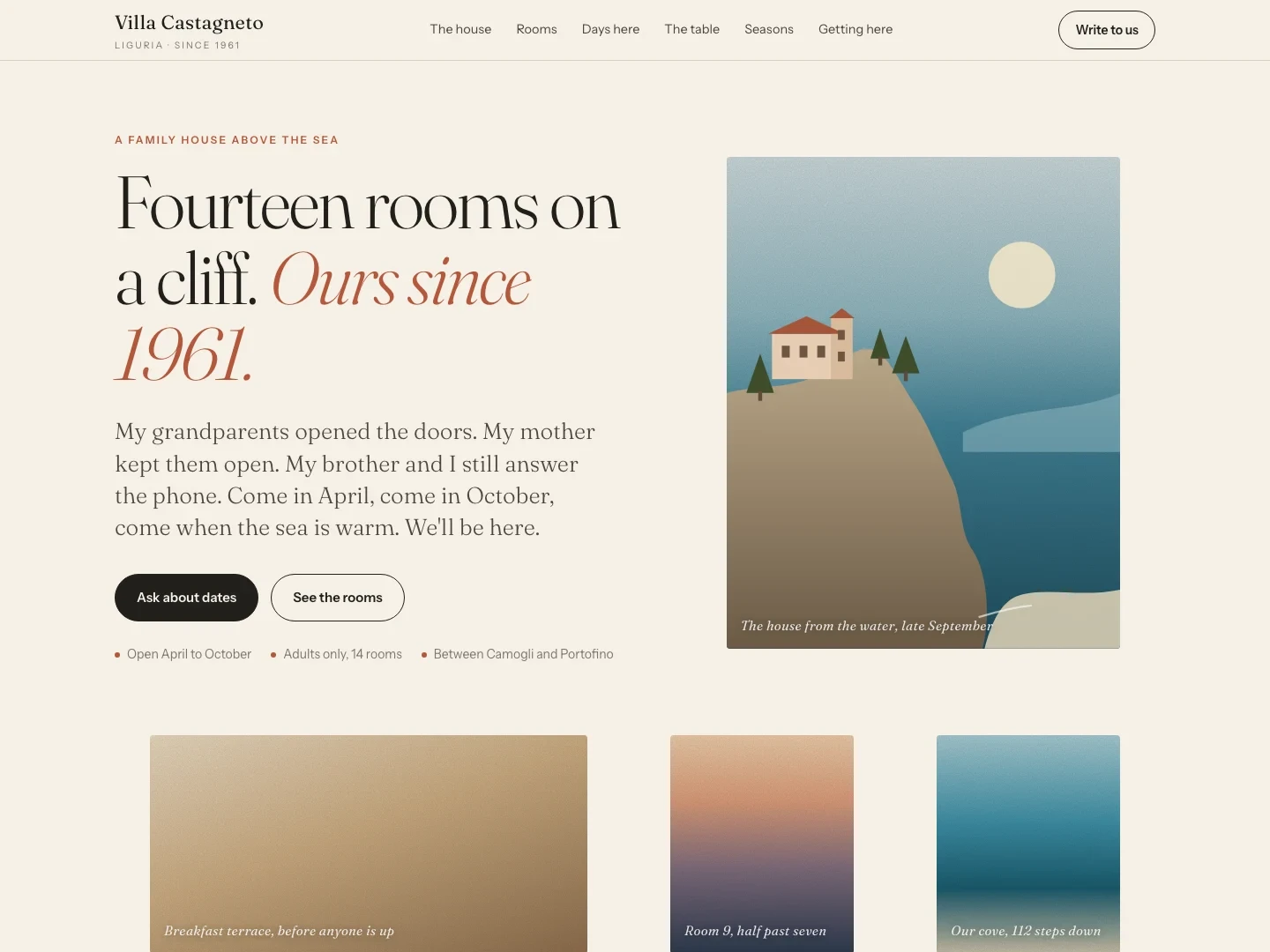
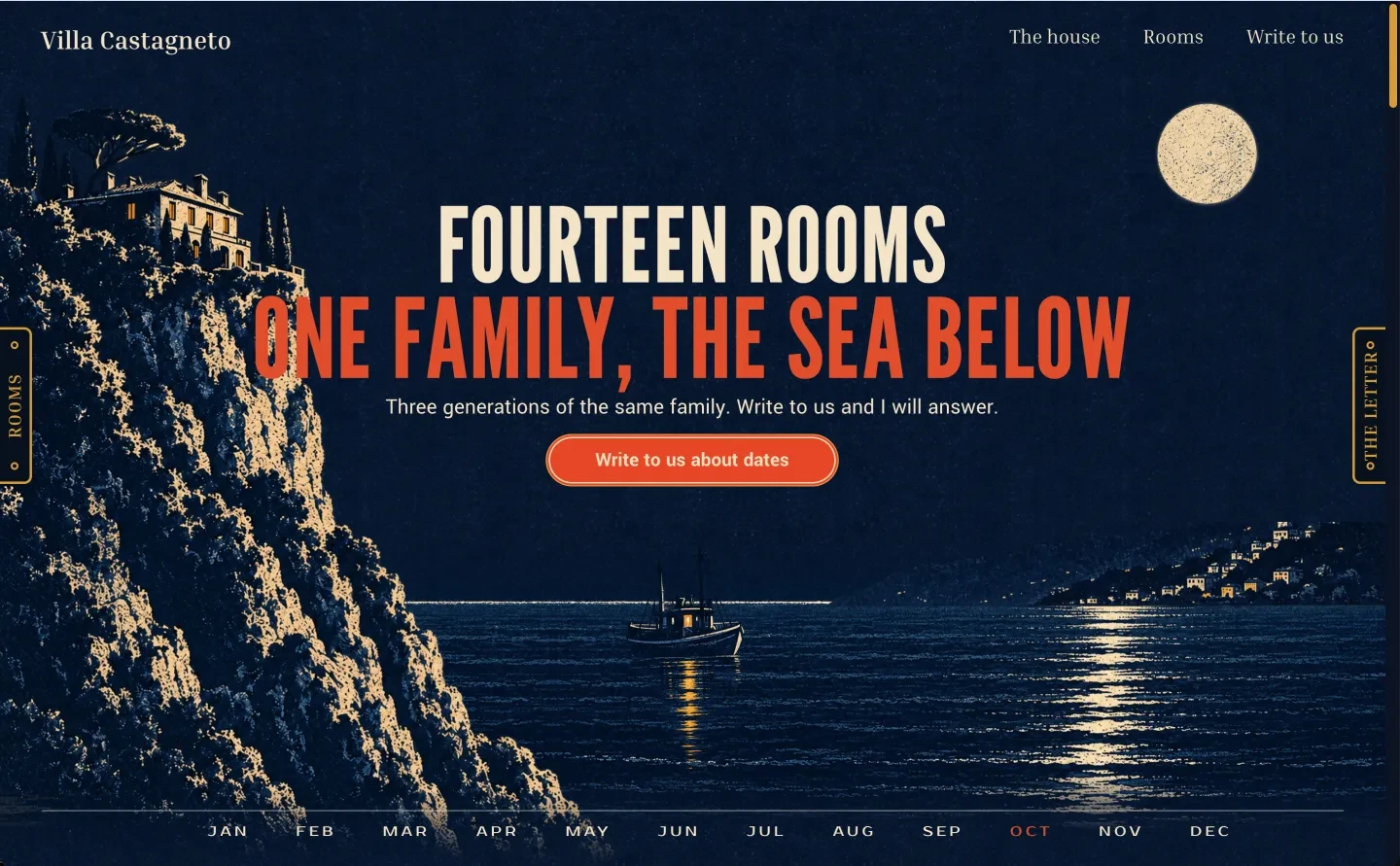
In the README, the developer compares guesthouse pages before and after Impeccable, saying the same prompt and model were used. The images show different composition and visual direction, but cannot show whether visitors completed tasks faster or found the site more accessible.
These are the developer's examples, not KrobClick's reading-list prototype. We did not run a controlled before-and-after study, so there is no performance figure or guarantee that every model will produce the same design.
Check the rendered interface and behavior after editing
Before accepting an agent's page changes, complete the old user journey on the actual page. Check mobile, long text, error controls, and focus, and read why each change was made. If a hook was added, know which command it runs and when: it uses the installing program's privileges.
Start with one point of friction and keep screenshots and checks from before and after. Expand only when the change helps the intended task. For other aspects of agent work, read How to verify an Agent's work
Sources and evidence
Reviewed installed Skill version 4.7.1 and pbakaus/impeccable commit 02523aec3e4c4580102d996d1b6a71fbe062e03f on October 30, 2026. We applied its guidance and detector to a real prototype. Guesthouse images are developer examples; we conducted no controlled before-and-after study.