
Is scanning a QR code safe? Read the data before opening links with KrobClick
A QR sign may look like it belongs to the shop, but its appearance tells you nothing about the link inside. Read the encoded data before deciding whether to open a site or pay.

A QR Code is not a guarantee that the link or payee is safe.
A QR code can contain text, a URL, Wi-Fi details or payment data. The pattern on a sign does not prove the destination belongs to the shop. The US FTC describes parking meters where scammers put fake QR stickers over the originals to lead people to imitation sites.
Read the data before opening a link. If it is a payment QR, confirm the recipient through a trusted channel before paying.
Read QR codes with KrobClick without immediately opening links
- Open QR Code reader
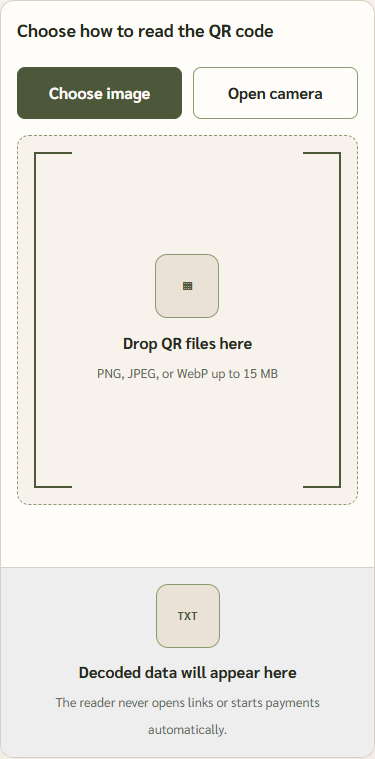
- Select a PNG, JPEG, or WebP image, or use the camera button if the browser permits it
- Read the data type and decoded text in the results panel before doing anything else
- If it's a URL, check the complete domain name and path. If it's PromptPay information, check the recipient and amount from your bank app before confirming.
- Open links only when confident and choosing to proceed yourself
According to the tool's code, images must be no larger than 15 MB. It shows the decoded result without automatically opening a URL or starting a payment, and processes images in the browser. This was checked against the code, not tested with a camera or image file.
If decoding fails, try a sharp image showing the full QR pattern. If the camera does not work, check browser permissions or choose a file. A failed scan says nothing about safety, and a successful one is no reason by itself to open the link.
The inspected code decodes the image in your browser without an upload step. If you choose to open the link, you contact the destination site under its own terms. Avoid sharing decoded Wi-Fi passwords or personal details just to ask someone whether a QR is safe.
Check the domain and context, not just a brand name in the URL
| Findings | Reasons for caution | What to do |
|---|---|---|
| A link with a one-character misspelling of the organization's name | May be an imitation website | Use an official app or website you open yourself |
| The QR is on a sticker placed over the original label. | The destination may change. | Ask the venue administrator |
| Requests immediate password entry | May be an attempt to steal information | Stop and verify through another channel |
| The domain name is correct but the page requesting information is unusual. | A domain alone does not guarantee complete safety | Pause to check before entering information |
The table flags reasons to investigate; passing it is no safety certificate. Short links and redirects can lead somewhere other than the URL first shown.
Consider this fictional domain: https:// It contains bank.example, but the full hostname is bank.example.evil.invalid which is not a subdomain of bank.example These reserved names illustrate the pattern; they are not links to visit or a list of real malicious sites. Read the full hostname before the path, and do not treat a logo as proof of ownership.
HTTPS means the connection is encrypted; it does not establish that the site's owner is trustworthy. If a QR urges immediate payment or account verification, open the official app or site through a channel you already know.
A valid checksum does not confirm that the recipient account belongs to the person you intend to pay
KrobClick can read the encoded text and check a PromptPay checksum. A valid checksum only indicates that some format checks passed. The tool cannot verify the number's owner, a site's safety or whether a payment went through.
Before confirming payment, check the recipient name shown by your banking app, the amount and what the payment is for. If anything differs, cancel and contact the intended recipient through a trusted channel.
What to do after scanning a suspicious QR code
If you only decoded the QR and have not opened a site or entered details, pause and check the destination. If you entered details on a suspicious site, change your password through the official app or site, enable multifactor authentication and review affected accounts, as advised by the FTC on fake QRs Contact your financial provider immediately if you see an unrecognized transaction.
Before opening a link or paying, read the decoded text and confirm the destination through another channel. A convincing image or an unsupported 'verified' label is not enough.
If you are making a QR for print or distribution, see the Guide to creating a QR that is easy to scan for guidance on clarity and the quiet zone. This reader shows encoded data before you decide what to do; it does not certify that a URL is safe.
Sources
- US FTC: See a QR code parked somewhere? Don’t scan it…yet! (September 2026)
- US FTC: Scammers hide harmful links in QR codes
Tool source and FTC warnings reviewed October 16, 2026. We did not test actual cameras or QR files or verify any user URLs.