
Convert Arabic to Thai numerals throughout text with KrobClick without changing amounts
A document can contain dates, section numbers, and amounts all at once. Changing every digit by hand invites mistakes. This tool converts the text for you, but you must first exclude codes and links that need to stay as they are.
Changes the numeral characters, not their values or readings
Thai numeral converter changes only the digit characters: 0–9 to ๐–๙, or the reverse, one character at a time. Enter 125.50 and you get ๑๒๕.๕๐. The decimal point stays put; nothing is calculated or rounded.
If you need to write out 125.50 as Thai words for baht and satang, see Guide to writing monetary amounts in Thai words instead. To convert the year 2569 B.E. to 2026 C.E., use Year converter: ๒๕๖๙ is the same year written with Thai digits.
Convert text and convert it back step by step
- Keep the original and copy only the passage you want to change.
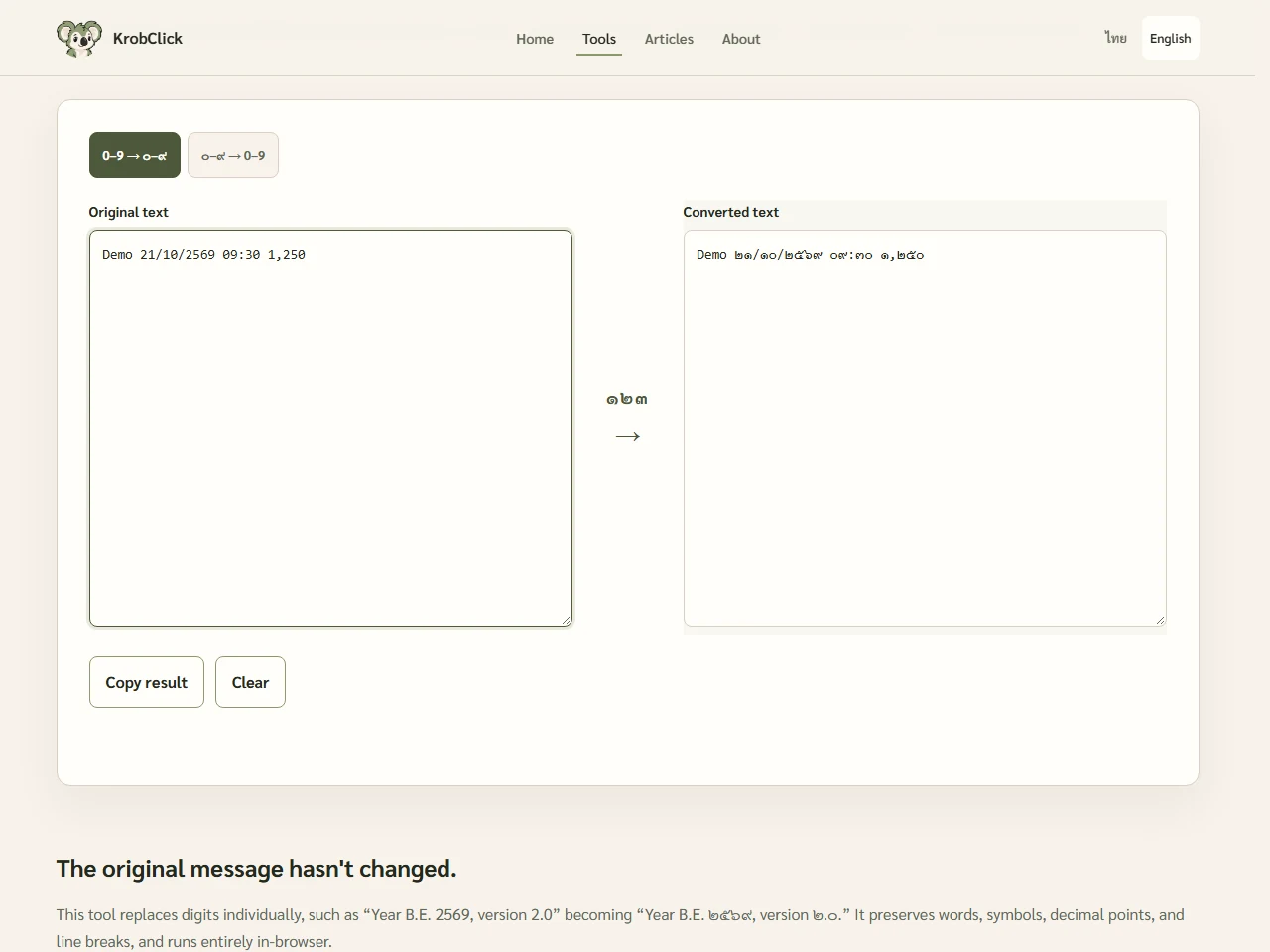
- Paste it into “Original text” and select “0–9 → ๐–๙” for Thai digits.
- Compare “Converted text” with the original, including digits, punctuation, and line breaks.
- To convert to Arabic digits, choose “๐–๙ → 0–9”. The tool reads the original input field again; it does not replace the input with the previous output.
- Click “Copy result”, paste it into a copy of the document, and check the final layout.
Compare dates, times, and decimal places
| Fictional original | Results when choosing Thai numbers | Check point |
|---|---|---|
| Date: 21/10/2569 B.E., time: 09:30 | Date: ๒๑/๑๐/๒๕๖๙ B.E., time: ๐๙:๓๐ | Does not reformat dates or remove zeros |
| Total 1,250.50 baht | Total ๑,๒๕๐.๕๐ baht | Comma and decimal point remain the same. |
| Item 2.1, version 3.0 | Item ๒.๑, version ๓.๐ | Dots separating sequence or version numbers are not interpreted as money |
| Code A0012 | Code A๐๐๑๒ | Leading zeros remain, but the file may not work with the original system |
Because the tool never parses the text as a number, leading zeros and long digit sequences are not rounded away. It does not check whether a date exists, a code is valid, or an amount is correct. It will happily replace digits in an invalid date.
Thai and Arabic digits are distinct characters in the Unicode Thai chart. The tool changes the actual characters, not just the font. Another program may treat the two strings differently even when a person reads the same value.
Check codes, links, and receiving systems separately
Every matching digit in the pasted text changes. The tool does not automatically exempt URLs, email addresses, phone numbers, account numbers, or reference codes. Exclude those parts or convert only the prose: a receiving system may require the original Arabic digits exactly.
Do not assume a round trip restores every original character. Mixed text such as 1 และ ๒ becomes 1 และ 2 after converting to Thai digits and then back to Arabic. Keep the actual original.
Fullwidth digits such as 123 and digits from other scripts are outside the 0–9 and ๐–๙ pairs, so they remain unchanged. Minus signs, percent signs, and ordinary text also stay as they were. Check each part when a document mixes numeral systems.
Check the original with the results before submitting the document.
Try one line containing a zero, decimal point, and separator before converting a longer passage. Pasting plain text does not preserve tables, Word formatting, or a PDF’s appearance, and the tool does not change the font in the destination document.
Before sending, check document numbers, dates, amounts, and the recipient’s requirements. Not every document needs Thai digits. If the result will go into a calculation or CSV file, test how the destination program reads it: visual similarity does not guarantee the same interpretation.
The conversion happens in your browser without uploading the text, and the tool does not save your work. Copy the result before clearing or refreshing the page, and retain both the source and the version you send.
Sources
KrobClick tool and code reviewed October 21, 2026 using nonsensitive demo text and documents. Screenshots show local development. Scope and limits may change; inspect output files or text before use.